The shot, and the colours it is actually made of.
One DCTL on one node. It reads the frame in front of it and draws its palette underneath — and then tells you which of those colours the picture is really made of, and which two are the same colour to someone who is not you.
One payment, no renewal Runs on the node, live No plugin, no install Free updates
- The card: any frame, its palette under it
- Full frame, 1:1 and 4:5 in one control
- Coverage, ownership and the colour-vision check row
- Every update, for as long as it exists
- No key to activate, and nothing to install
A single .dctl file. It arrives with the receipt, and it is working about thirty seconds later.
What it draws
A frame you can send someone.
Drop it on a node and the viewer becomes the card: your shot, and a row of its colours along the bottom. Nothing is exported, nothing is baked — it is drawing live, so scrubbing the timeline redraws the palette as you go.
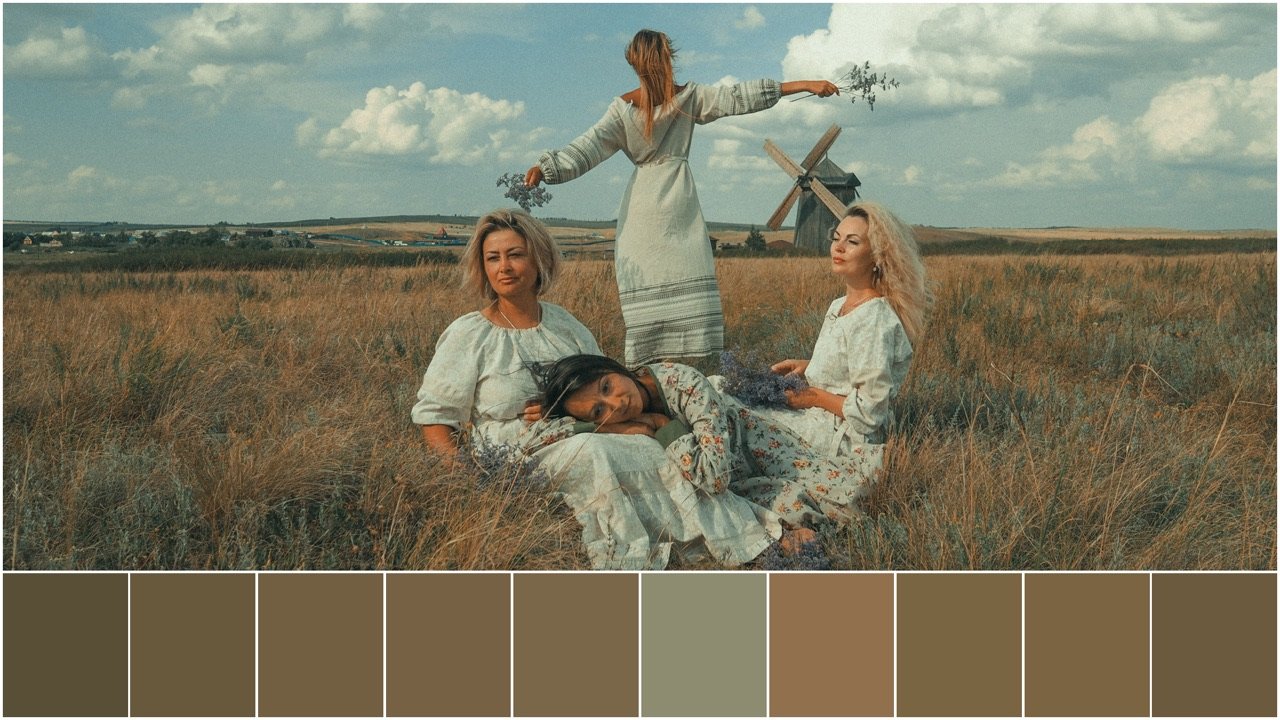
One control, three deliveries
The same card, cut for where it is going.
A look book wants the full frame. Instagram wants a square, and a carousel wants 4 by 5. SHAPE draws all three at the same swatch size, so two cards from the same grade read as a set instead of as two different jobs.
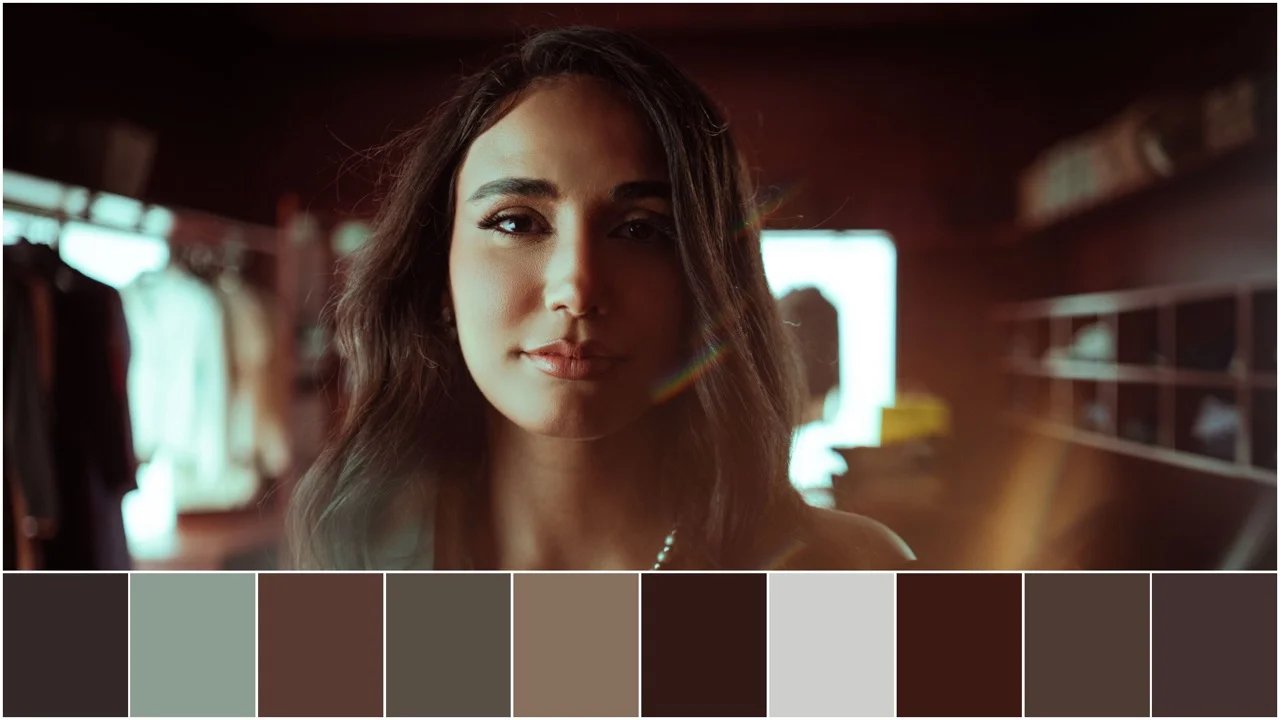
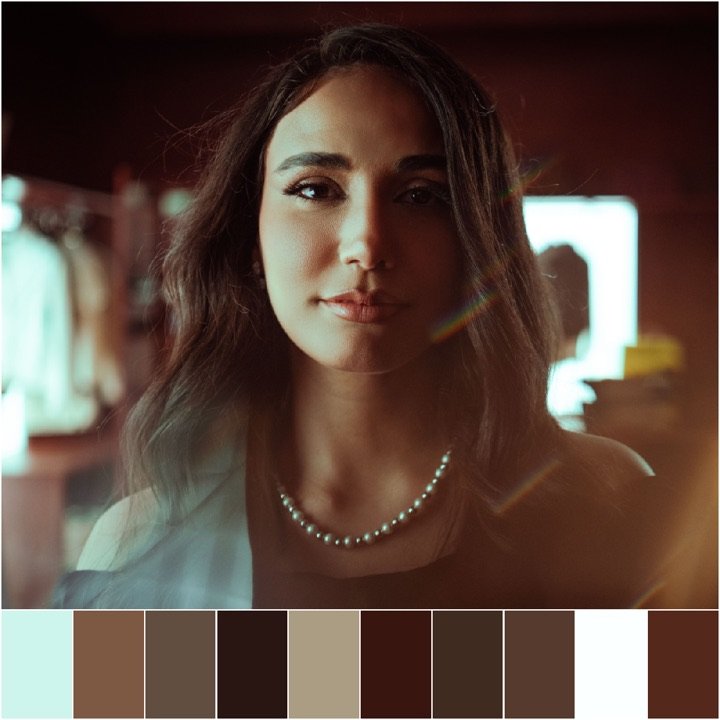
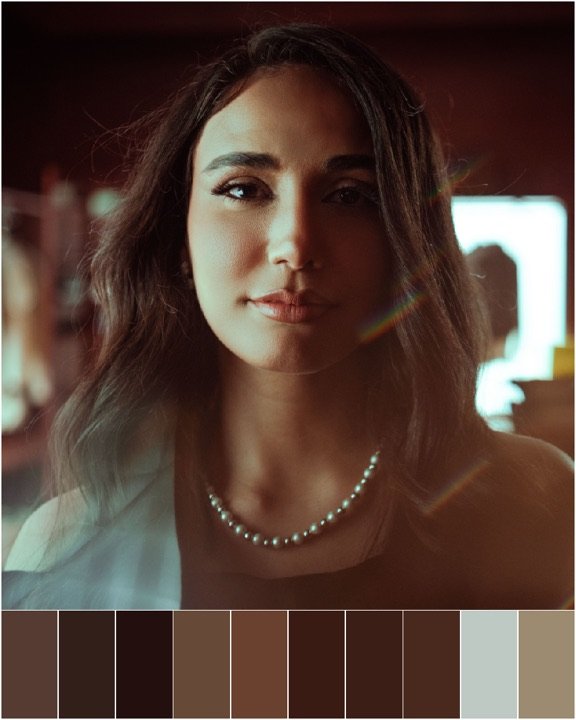
A DCTL cannot change the size of the picture Resolve hands it, so the square and the 4 by 5 are drawn inside your timeline frame with the surround left dark — the two above are shown cropped to the card, which is what you get once you crop to it on delivery, in Resolve’s own output sizing. That is the honest version of this feature, and it is the only one available.
IMAGE FIT
Whether the picture keeps its edges or fills the space.
The card gives the picture a block to sit in, and the picture never stretches to fill it — that would be a lie about the frame. So one of two things has to give: the composition, or the size. IMAGE FIT is which.
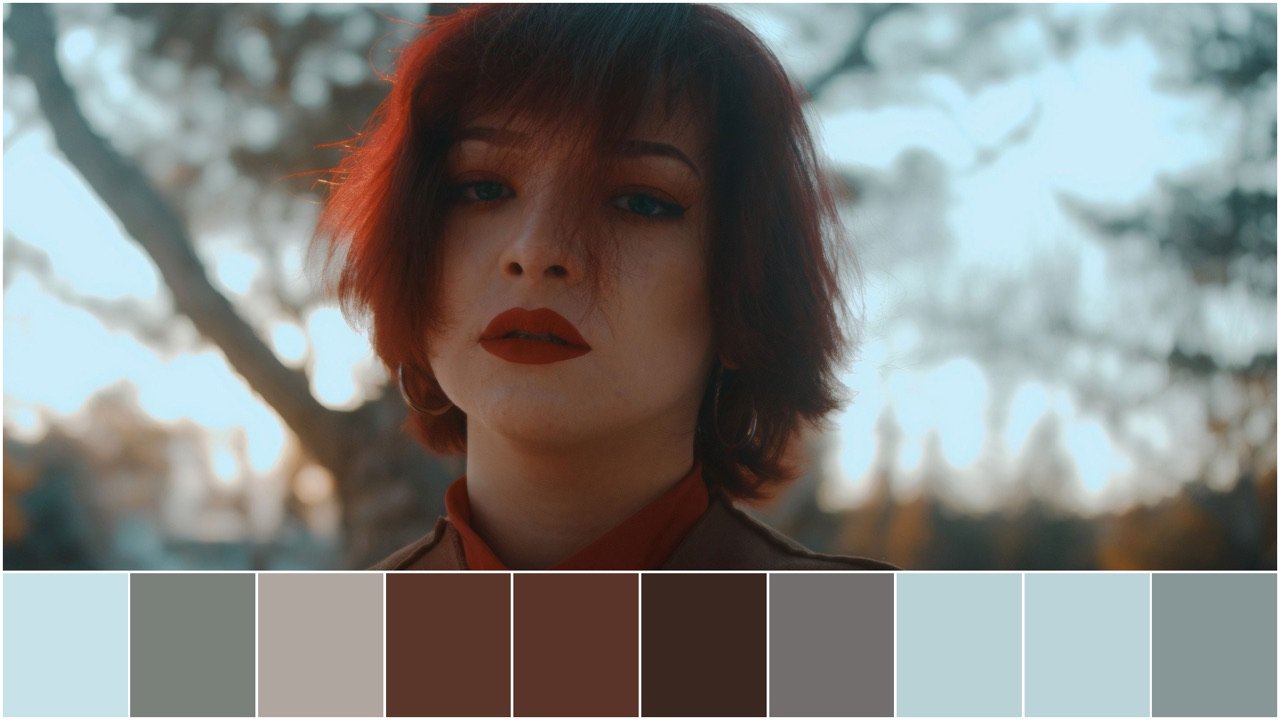
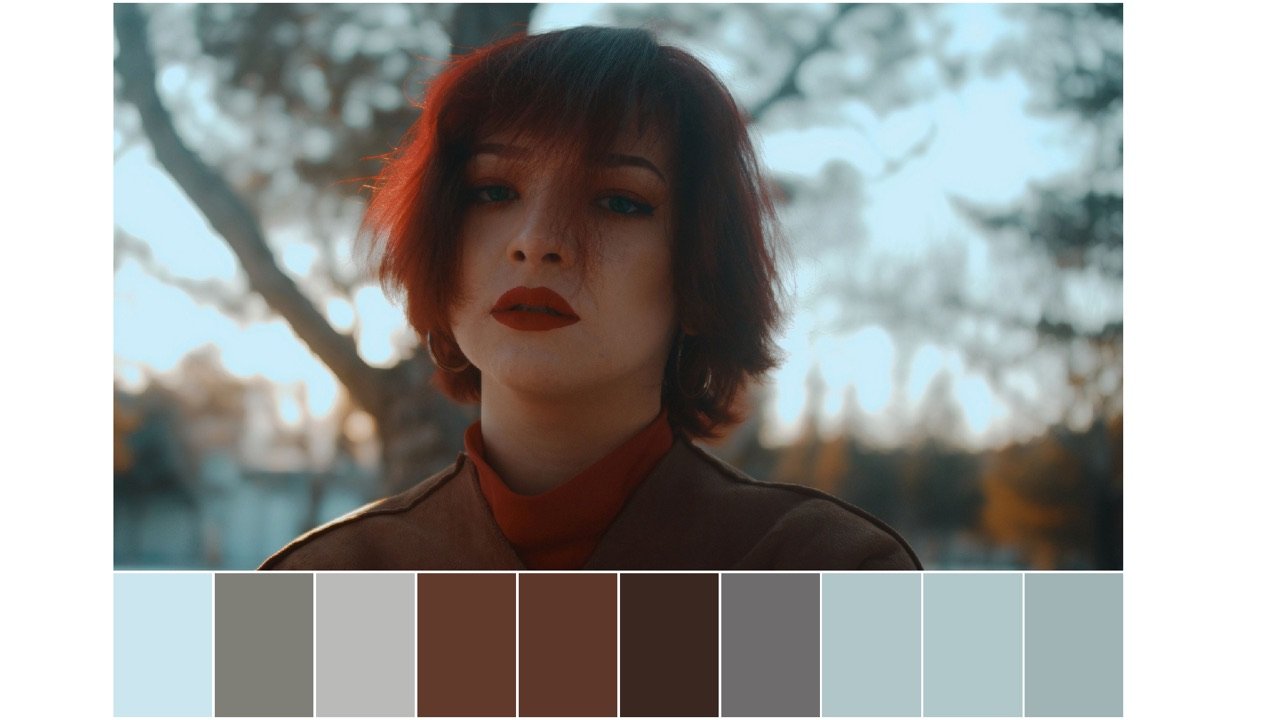
On a full-frame card the two are close, because the block is already the shape of your footage. On 1:1 and 4:5 they are not: the block is taller than the shot, so Fit Inside leaves a wide picture floating in a tall space and Fill Width is usually the one you want. IMAGE ZOOM and IMAGE SHIFT X/Y choose which part of it survives the crop.
The four that do the work
A palette is a claim. These check it.
Ten swatches drawn the same size say the sky and a lipstick matter equally, and a row of colours cannot tell you where any of them came from. Four controls answer that, and one of them answers a question the row cannot raise at all.
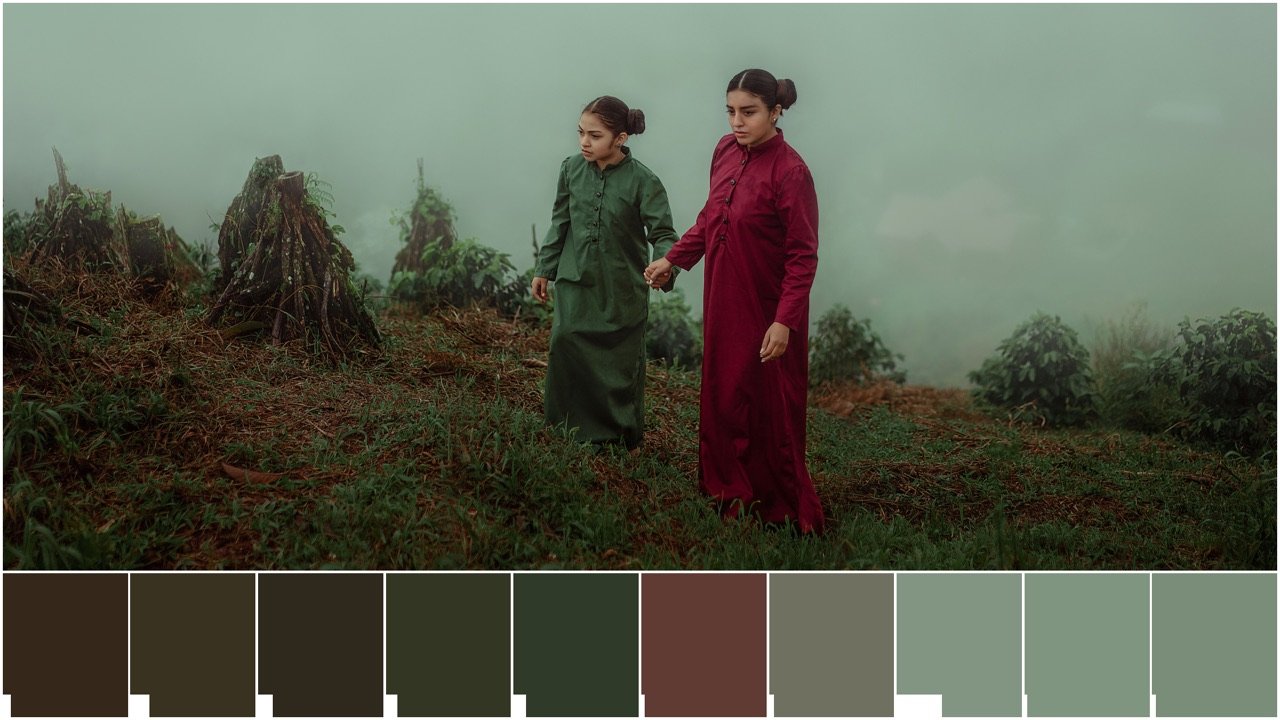
Show coverage
How much of the frame each colour actually owns.
A palette treats ten colours as ten equals. A frame does not, and a swatch that speaks for two per cent of the picture is a detail being given the same weight as the sky.
A full-width bar means that one colour is the picture. An empty one means the swatch next to it already had that colour, which is worth knowing before you build a look book page around it.
- Share of the whole frame
- Duplicates read empty
- Drawn on the swatch
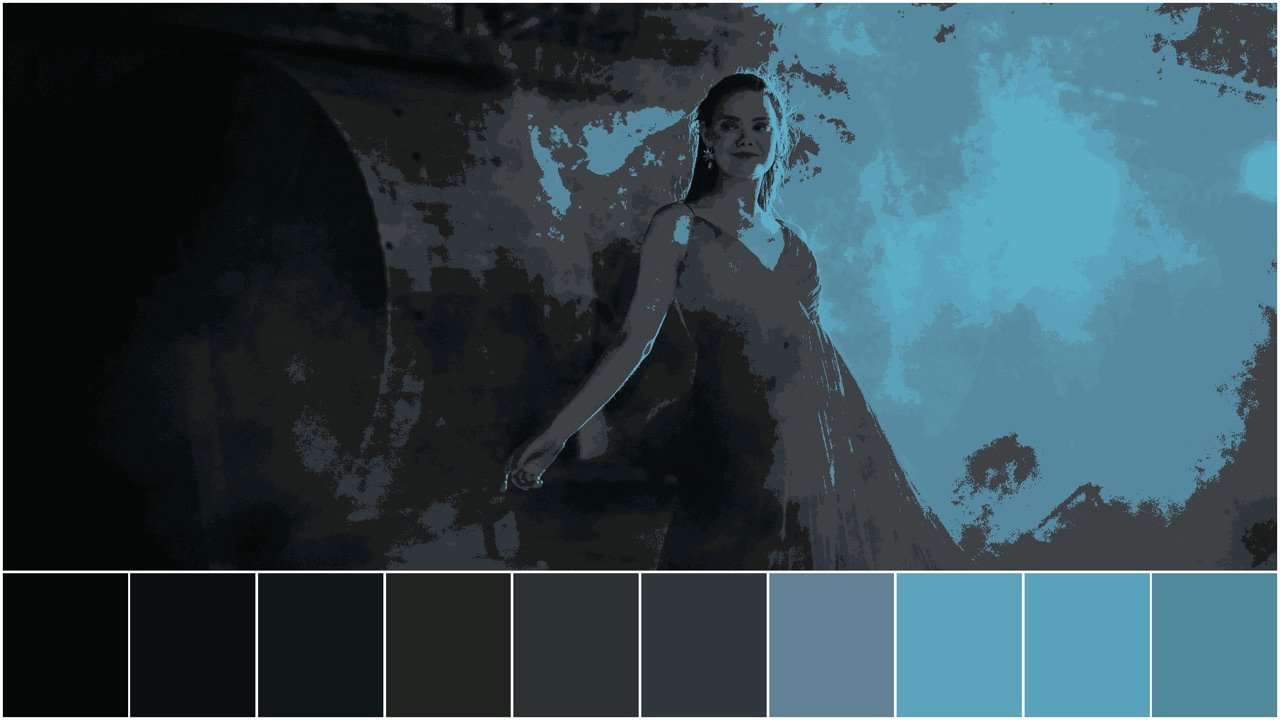
Show ownership
Where in the picture each swatch came from.
A row of colours raises a question it never answers: which grey is the sky, and which one is the coat? Ownership answers it by throwing the picture away and redrawing it out of your swatches alone.
Nearest is measured perceptually, in OKLab — the only measure under which these two are the same colour means what a person means by it. If a swatch you love turns out to hold three pixels in a corner, it was never the shot’s colour.
- Nearest swatch in OKLab
- The palette’s own map of the frame
- Toggles back in one click
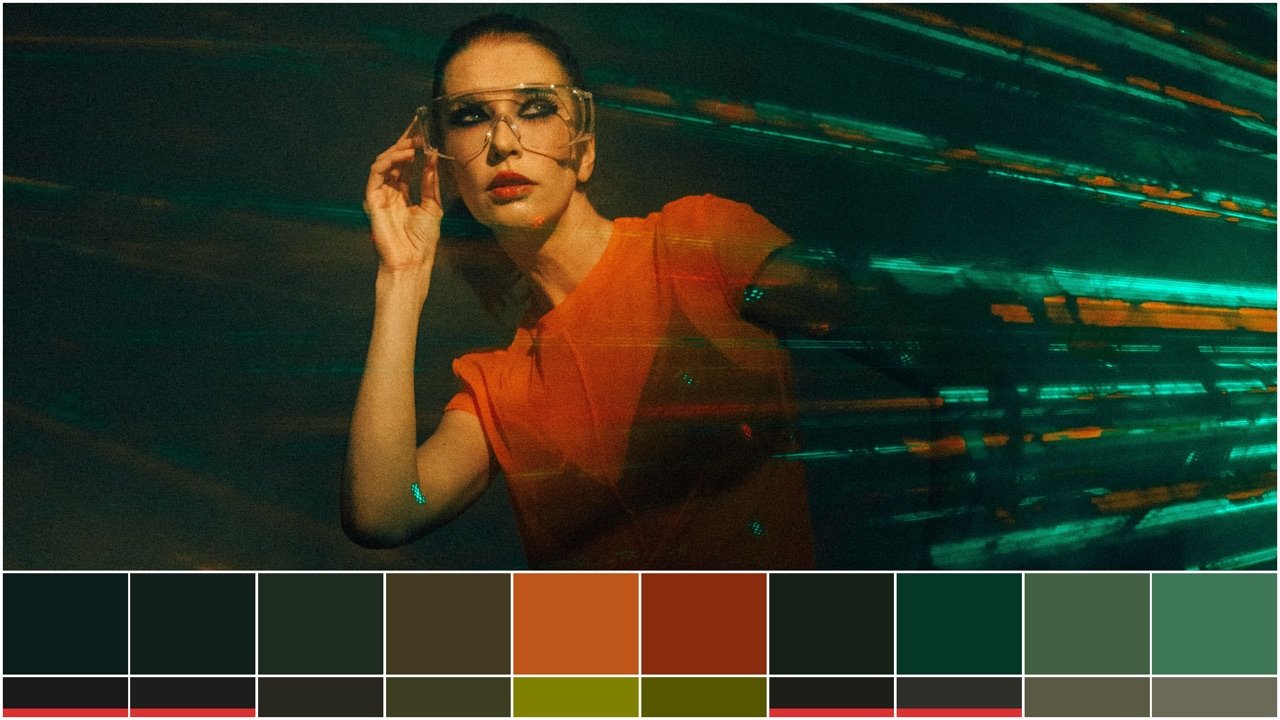
Check row
How the palette reads to someone who is not you.
A second, thinner strip under the swatches, showing the same colours as Mono, Protanopia, Deuteranopia or Tritanopia. If two swatches look distinct on top and identical underneath, they carry no information apart.
On a poster, a title card, a costume or anything with a graphic in it, that is a fault — and it is completely invisible on the row above.
- Mono
- Protanopia
- Deuteranopia
- Tritanopia
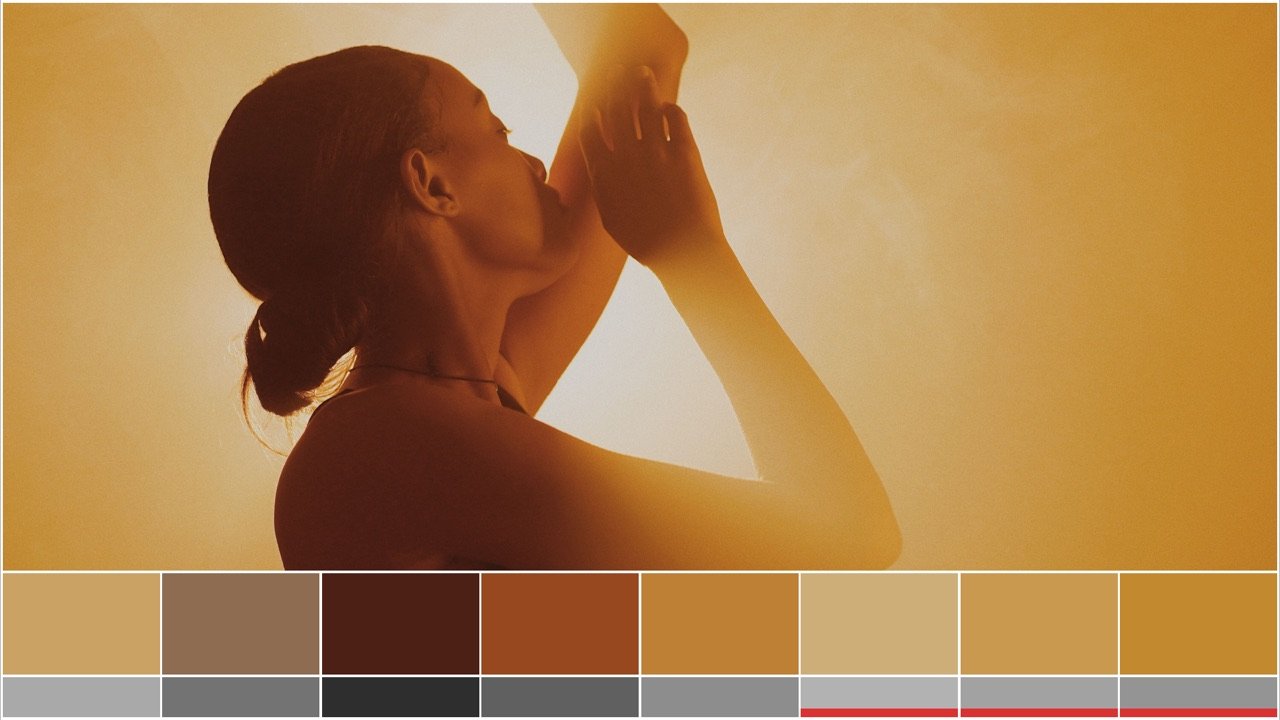
Collapse limit
The alarm on the check row.
You should not have to eyeball the strip and ask whether those two look the same. Set the distance you care about and the card underlines any neighbour that lands inside it.
Neighbours only, deliberately. Two colours at opposite ends of the row colliding is trivia; two side by side colliding is the mistake you will actually make.
- Set the distance once
- Measured in OKLab
- Neighbouring pairs
Where the colours come from
You choose what it reads.
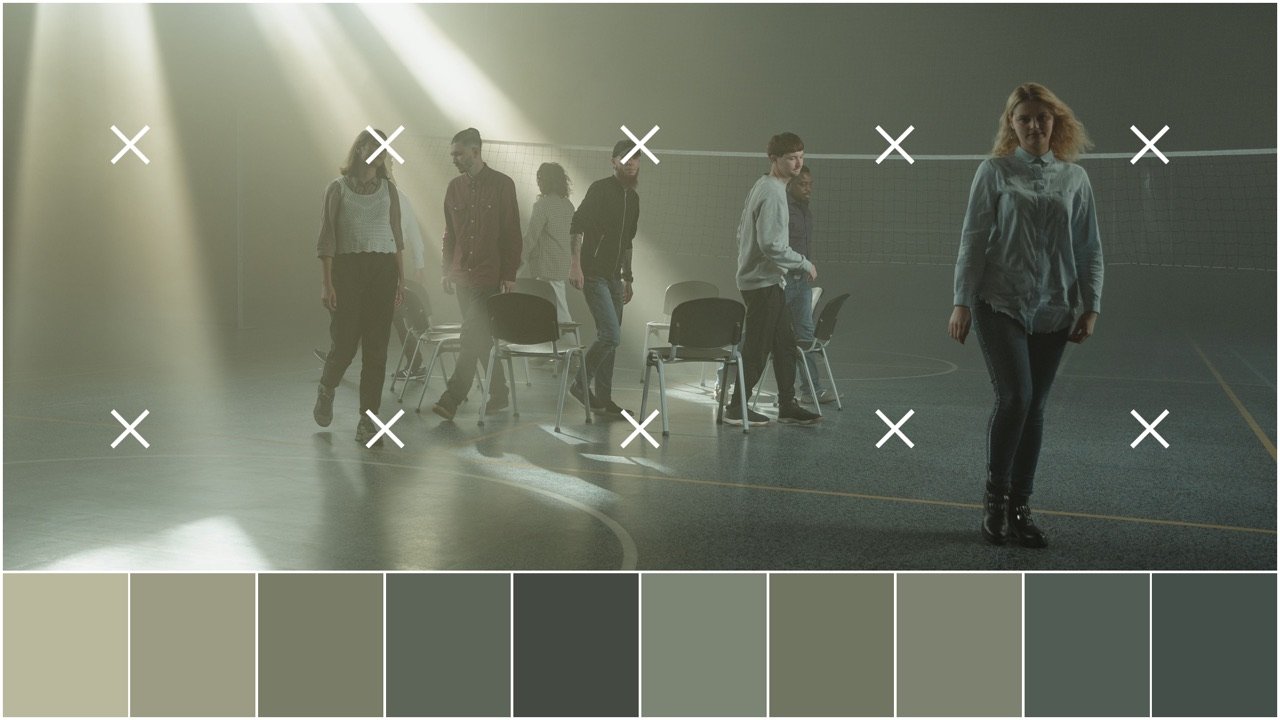
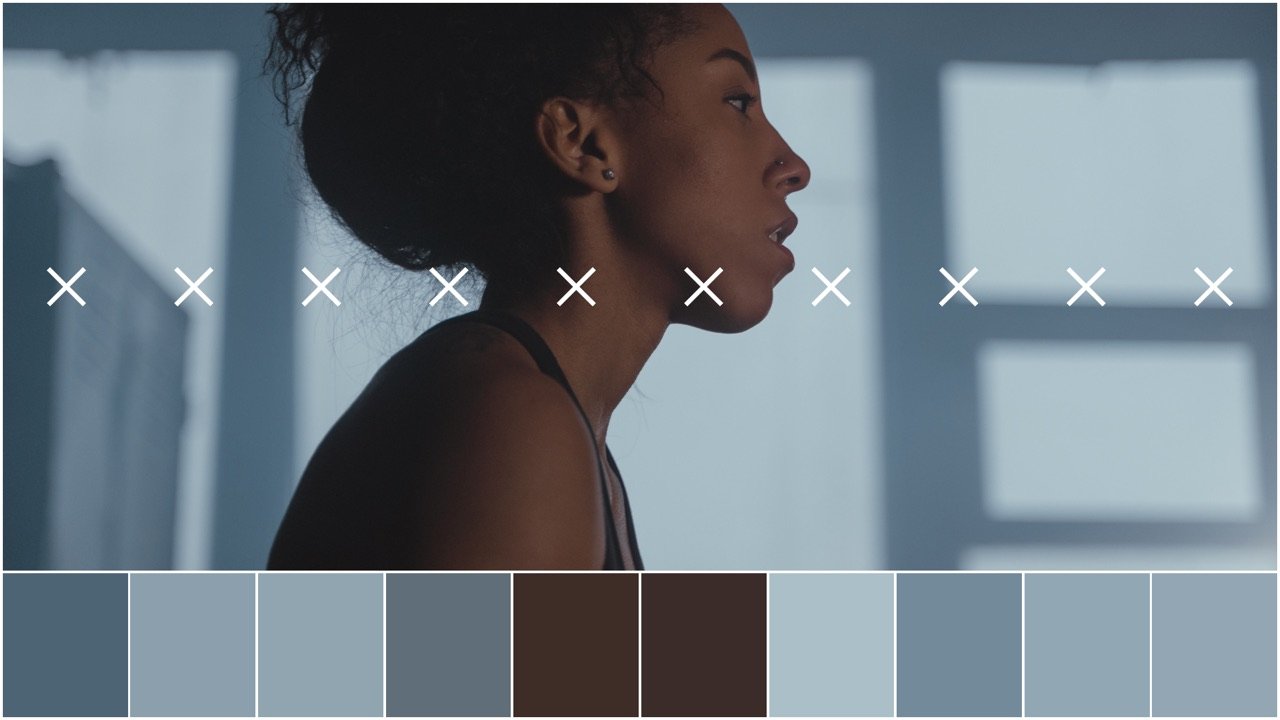
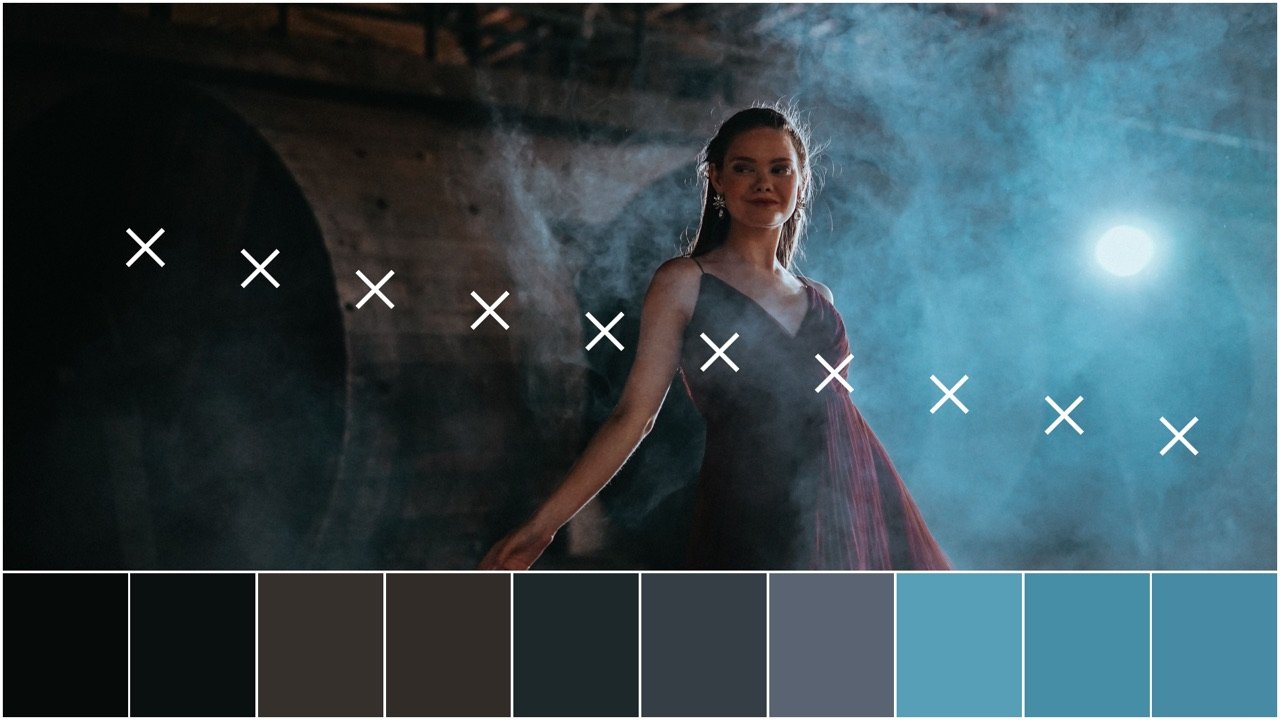
How many
Two swatches to a hundred. Ten is the default and about right for a look book page; three is what you want when the question is what are the three colours in this shot.
Where across
The sampling line runs anywhere from the top of the frame to the bottom, and the left and right ends move independently - so you can read the actor and leave the blown window out of it. It tilts too, ninety degrees either way, for a frame whose subject is a diagonal.
How many rows
Up to eight lines instead of one, read top to bottom. A landscape needs that: one line through the middle finds the hills and never the sky.
How big a bite
Each swatch is an average over a box, not a single pixel, so grain and compression noise do not decide what colour your frame is. The box runs from one pixel up to the whole frame, so a swatch can describe a point or a region.
What it is reading
INPUT COLOR SPACE and INPUT GAMMA are two controls, set independently, the way Resolve's own Color Space Transform does it - because a gamut and a transfer curve are separate facts about a file. Sixteen gamuts each, from ARRI Wide Gamut and REDWideGamutRGB to Rec.709 and P3; sixteen curves, from LogC3 and LogC4 to S-Log3, F-Log and Gamma 2.4. Both ship on Rec.709 / Gamma 2.4, and there is no Use timeline entry - Resolve never hands a DCTL the project's colour management, so the tooltips point at Project Settings. Tell it what is arriving and the maths is done in the right space; leave RETURN TO INPUT SPACE on and it hands the frame back the way it found it.
What is drawn over it
Swatch gaps, an image border, an outer frame, a dark ground, and the picture itself shifted or zoomed inside its own window. The card is a layout, not a fixed template.
Before you buy
What it will not do.
A DCTL is a shader. Resolve gives it one frame and takes one frame back, and everything below is a consequence of that. None of it is on a roadmap, because none of it is possible in the format — and a page that left it out would be selling you a different product.
It needs Resolve Studio
The free edition does not run DCTLs. Nothing we can send you changes that, so if you are on free Resolve this is not a purchase you should make today.
It cannot write a file
A DCTL draws into the frame and stops. Getting a PNG out of it is Resolve’s job - grab a still, or render the frame - and that is one keystroke you were going to press anyway.
Above 32 swatches the analysis switches off
Coverage, ownership and the check row need a table of every swatch held in registers, and 32 is where that stops being free. Past it the card still draws - all hundred swatches if you ask - and those three quietly do nothing. The palette is unaffected.
The check row is a design check, not a diagnosis
It simulates one severe form of each type, using the Viénot, Brettel and Mollon matrices. Real colour vision varies enormously and most of it is partial. Use it to catch two swatches collapsing into one; do not use it to tell anybody what they can see.
The shaped cards letterbox
1:1 and 4:5 are drawn inside your timeline frame with the surround left dark, because a DCTL cannot resize its own output. Crop to it on delivery.
It is a final sale
A .dctl is a plain text file. Once it has been emailed there is no way to take it back, and no key that could stop it working - so PALETTE CARD is sold without a return window. Everything it does is on this page, in renders from the file itself; read it before you buy, and write to us first if anything here is unclear.
There is no licence key in it
Resolve gives a DCTL no network, no storage and no machine id, so the file cannot check anything. It is sold on trust, it is priced accordingly, and we would rather say so here than pretend there is a lock on it.
From paid to drawing: about thirty seconds.
- Pay. Card or PayPal at the checkout. The receipt is instant.
- Drop the file in. One .dctl into Resolve’s LUT folder — the exact path for your machine is in the email, and it is a drag and a drop.
- Add a DCTL node. Pick PALETTE CARD in the list. There is no key to paste and nothing to activate.
It needs DaVinci Resolve Studio. The free edition does not run DCTLs at all — that is Blackmagic’s line, not ours, and no file we could send you gets around it.